
Roadmap & Feature Voting
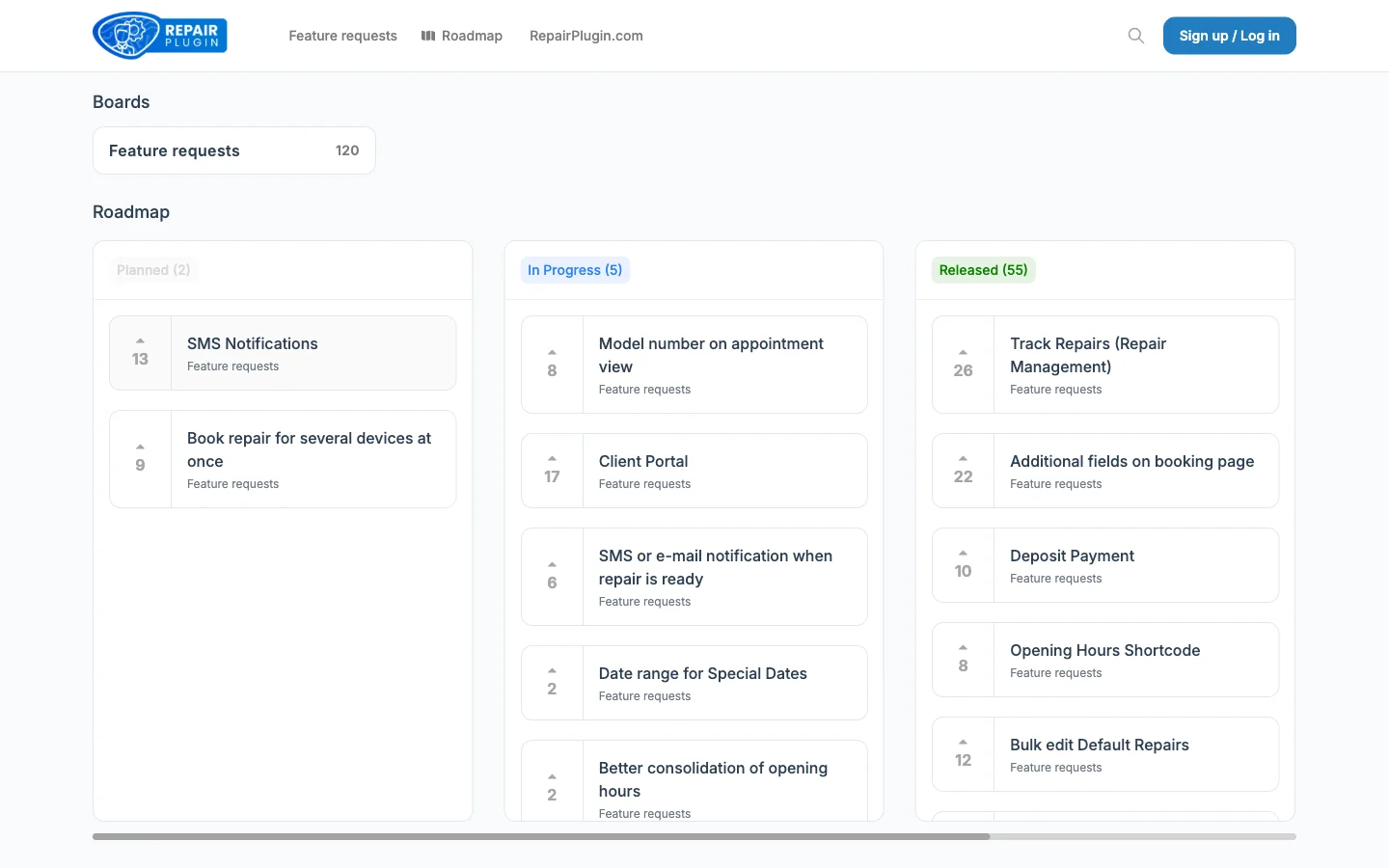
Vote on upcoming features, submit ideas, and track development progress on the RepairPlugin public roadmap at roadmap.repairplugin.com.
What can you do with this?
- See what's coming next -- browse the roadmap to check which features are planned, in progress, or already done
- Vote on features -- upvote the ideas that matter most to your repair business so the development team knows what to prioritize
- Submit feature requests -- suggest new features or improvements you'd like to see in RepairPlugin
- Report bugs -- let the team know about issues you've run into so they can be fixed
- Stay in the loop -- register for notifications and get updates when features you voted on move forward
Example: You notice that many of your customers ask about repair status tracking. You search the roadmap, find a matching feature request, and upvote it. When the feature moves to "In Progress," you get a notification automatically.
Where to find it
URL: https://roadmap.repairplugin.com
- Go to roadmap.repairplugin.com in your browser.
- Click Log in in the top-right corner.
- Sign in with your my.repairplugin.com account (the same email and password you use for the Customer Portal).
- After login, you can vote, comment, and submit new requests.
Tip: Don't have an account yet? You can browse the roadmap without logging in. Create an account at my.repairplugin.com when you're ready to vote or submit ideas.
How to set it up
No setup is needed -- the roadmap portal is ready to use. Just log in with your existing Customer Portal credentials.
Browse the roadmap
- Go to roadmap.repairplugin.com.
- Click Roadmap in the top navigation.
- Features are organized by status: Planned, In Progress, Done, and Needs Opinion.
- Use the search bar or filters to find specific features.
Vote on a feature
- Find a feature request you care about.
- Click the vote button on the feature card.
- Your vote is counted immediately. The most-voted features help shape development priorities.
Submit a feature request
- Click Feature requests in the top navigation.
- Click the button to submit a new idea.
- Describe what you'd like to see and why it would help your repair business.
- Other users can vote on your request too.
Report a bug
- Switch to the Bug reports board.
- Submit a description of the issue you're experiencing.
- The development team reviews bug reports and prioritizes fixes.
Get notifications
- After voting or submitting a request, register with your email if prompted.
- You'll receive email notifications when the status of your voted features changes (e.g., from Planned to In Progress).
Settings reference
| Setting | Description | Default | Customers see |
|---|---|---|---|
| Login | Lets you sign in to the roadmap portal using your my.repairplugin.com account credentials. This is the same account you use for the My RepairPlugin Account | no account required for browsing; login required for voting and submitting | Nothing -- the roadmap portal is for shop owners, not for your repair shop customers. |
| Status categories | Organizes all features and requests into four stages: Planned (team decided to build), In Progress (being developed), Done (released), and Needs Opinion (community input wanted) | all statuses shown | Nothing -- the roadmap is a tool for shop owners and the RepairPlugin community. |
| Boards | Separates content into dedicated sections: Feature requests (browse and submit ideas), Roadmap (development timeline with status categories), and Bug reports (report and track issues) | Feature requests board | Nothing -- your repair shop customers don't interact with the roadmap portal. |
Frequently asked questions
Do I need a paid license to use the roadmap?
You can browse the roadmap without logging in. To vote or submit ideas, sign in with your my.repairplugin.com account. Both trial and paid users can participate.
Will my vote guarantee a feature gets built?
Votes help the development team understand what matters most to the community. Higher-voted features are more likely to be prioritized, but votes don't guarantee a specific release date.
Can I track a feature I voted on?
Yes. After voting, register for notifications to get email updates when the feature's status changes -- for example, when it moves from Planned to In Progress.